



Why Kosts

Collect receipts without chasing anyone. And without typing them up.

Eight people buy things, one person collects the receipts: asking around, searching inboxes, copying numbers into Excel. It works. It just eats hours every month.

Today
With Kosts
Novemberall in one place
Druckerei Pohl €412.30
Telekom Duplicate detected€49.95
Baumarkt Lenz €73.96
Deutsche Bahn €142.80
112 receipts from 8 people, all ready
120receipts in a full month
2–3 mintyping per receipt
4–6 hin one evening a month
1 weekof working time a year

Counted, not estimated: this is how Christian Kettner, the founder of Kosts, recorded his company's receipts for eleven years. The full story (in German)

Part 1 · Your evening

An evening with inboxes and Excel. And the same evening with Kosts.

Part 2 · Your team

Reading a receipt is quick. Kosts is built for collecting it.

When eight people spend money, typing is the smaller problem. Asking, reminding, approving, paying back: that work lands on one person, and in Kosts every step has its place.

A team month, day by day

“Did anyone OK this?” Or a purchase request with amount and budget, approved before the purchase.

Train ticket to HamburgPurchase request · Sina Voigt · €142.80Approved
November budget · 61% left

The third reminder, by hand. Or one click on the receipt request. Kosts takes care of reminding, on the 3rd and 7th working day.

Adobe · Creative CloudReceipt request to Jonas ReikReceipt in
  1. Sent
  2. Reminded on working day 3
  3. on working day 7

“So what's still open?” Or a short email at eight on weekdays: what's waiting, what's missing. Only when there's something new.

“Did I pay you back for that?” Or a list of who paid out of pocket. Reimbursements are ticked off with a date.

Sina Voigt · €142.80Deutsche BahnReimbursed 8 Dec
Jonas Reik · €23.96Baumarkt LenzOpen

How roles, approvals and the budget work in detail: Team & approvals.

What it costs

Everything in part 2 is the Team plan. Solo is for one person collecting their own receipts.

See pricing
Solo €25 per monthfor one person
Team Part 2€60 per monthfor the whole team, no seat cap

Both billed annually. Try it free for 30 days, no credit card.

One place instead of four

Inbox, shoebox, folder and Excel become one list.

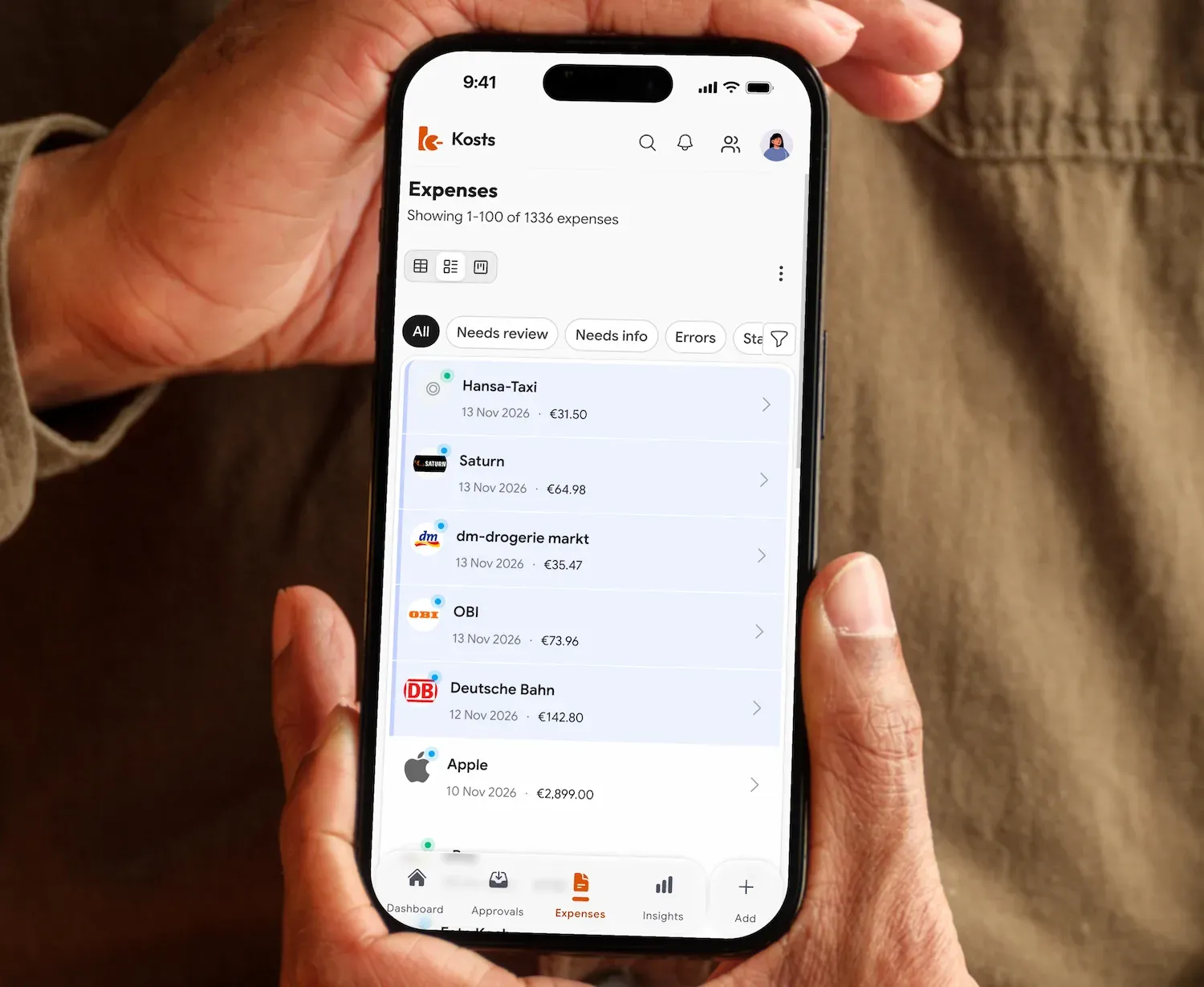
The invoice in the inbox, the till receipt in the shoebox, the PDF in a folder, the number in the Excel sheet: today a month lives in four places. In Kosts it lives in one, from arrival to close, on your phone as on your computer.

  • Central: every receipt with amount, date and vendor in one list, the same one for everyone on the team.
  • Organised: filters like “Needs review” and “Needs info” show where something is left to do.
  • Complete: you see what's missing before you close. A closed month is locked.
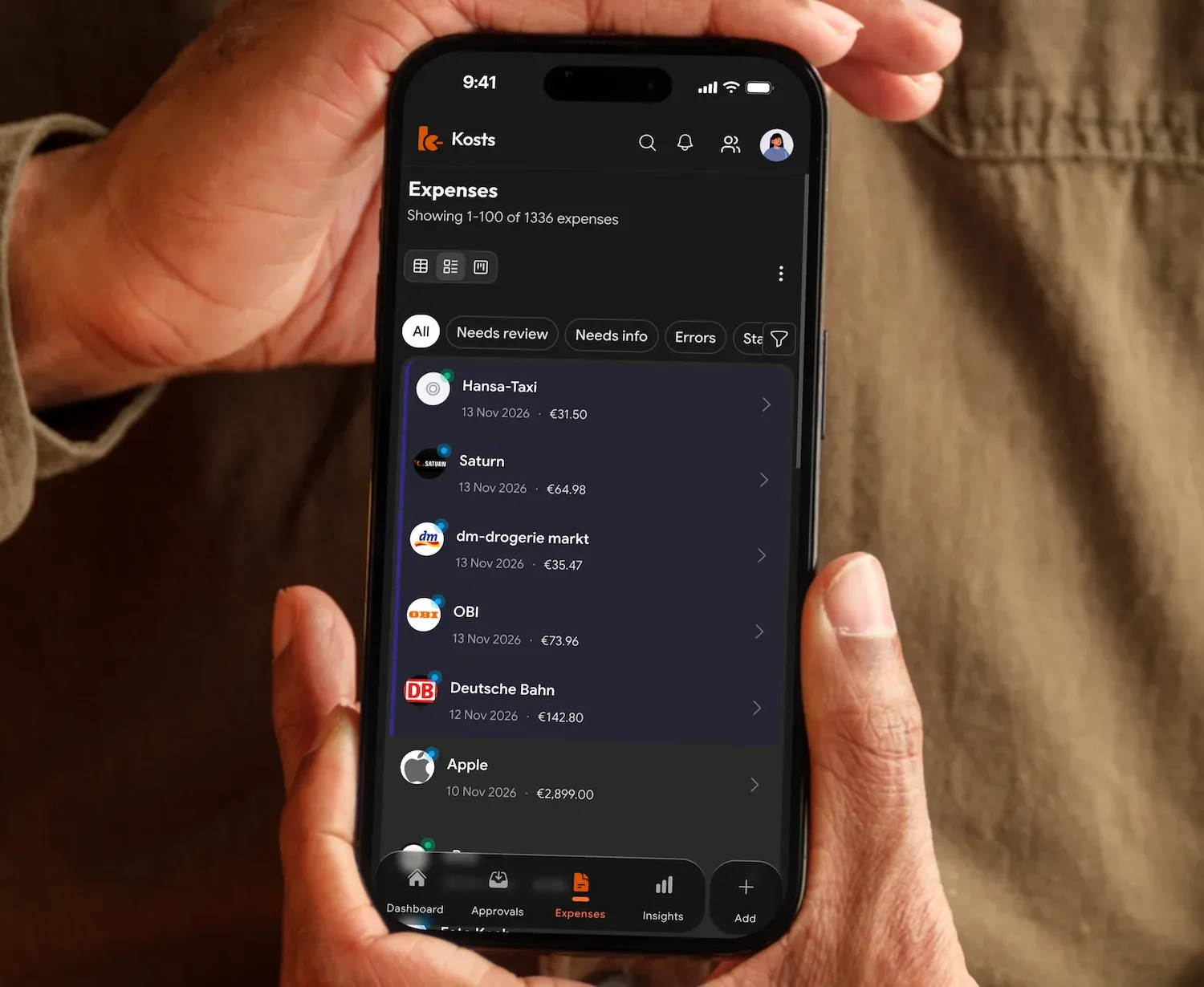
A month's expenses in the Kosts app on an iPhone: vendor, date and amount for each receipt, with the filters aboveA month's expenses in the Kosts app on an iPhone: vendor, date and amount for each receipt, with the filters above
Kosts and your accounting software

Your accounting software stays. Kosts hands it the finished month.

Kosts is pre-accounting: it collects, reads and checks receipts and hands them over. Bookkeeping stays where it happens today, just without the searching and asking.

Lexware Office formerly lexoffice

Kosts before it
Your team submits receipts and expenses, with purchase requests before and approvals after. What has been checked, you hand over as PDF, CSV, Excel or ZIP.
Stays there
Writing quotes and invoices, matching bank transactions, bookkeeping and the advance VAT return.

sevDesk

Kosts before it
Receipts from several people and several inboxes arrive in one place and are read and checked for duplicates before they go into the books.
Stays there
Writing invoices, matching payments and bookkeeping.

DATEV Unternehmen online

Kosts before it
Kosts builds the receipt bundle as DATEV XML (beta) and suggests an SKR03 or SKR04 account for each receipt. Your tax advisor assigns accounts instead of hunting for receipts.
Stays there
Your tax advisor books in DATEV. Unternehmen online is how your receipts get to them.
Questions

What people ask before switching.

Does Kosts replace my accounting software?

No, it works in front of it. Kosts collects, reads and checks your receipts and hands them over. Your accounting software and your tax advisor get a complete, checked month instead of a folder full of files.

I already have accounting software. Why Kosts?

Bookkeeping is one thing, collecting is another. As soon as several people spend money, someone has to ask, remind, approve and pay back. Kosts brings purchase requests before the purchase, approvals after it, receipt requests with reminders, and a month you close before anything goes into the books.

Can I bring my existing receipts over from Dropbox?

Yes. Upload the folders in bulk, hundreds of PDFs, photos and scans at once. Kosts reads them and spots it when an invoice is in there twice.

How do the receipts get to my tax advisor?

As an export: PDF, CSV, Excel, a ZIP with all receipts, or a receipt bundle as DATEV XML (beta) for Unternehmen online. On the Team plan your tax advisor also gets their own access, with which they can read, export and comment.

What does Kosts cost?

€25 a month for one person, €60 a month for a whole team, however many people, both billed annually. Try it free for 30 days, no credit card.

Compare for yourself

Get your evening back.

Forward this month's invoices, invite your team and see how much chasing is left. 30 days free, no credit card.