
Hardware
Second monitor for the home office
27 inch, for photo work — the old one has a stripe.
€389.0011% of the remaining budget
CommentsSkip
Kosts collects, reads and organizes your company's receipts and hands them to your tax advisor ready to file. For small teams with more work than time.
No credit card · no setup call · stored in Germany
Animated demo: an invoice arrives by email on a phone and is forwarded to the Kosts inbox. Kosts reads it, creates the expense with date, net, VAT and total, and marks it ready for approval.
Kosts is pre-accounting software — not accounting software, but the layer in front of it.
Your company gets its own email address for receipts. Whoever receives an invoice forwards it: you, the office, any colleague. Till receipts come in as photos, last year's archive by drag and drop.
On the Team plan everyone forwards. On the Solo plan Kosts accepts receipts from your email address and one more. All the ways receipts get in
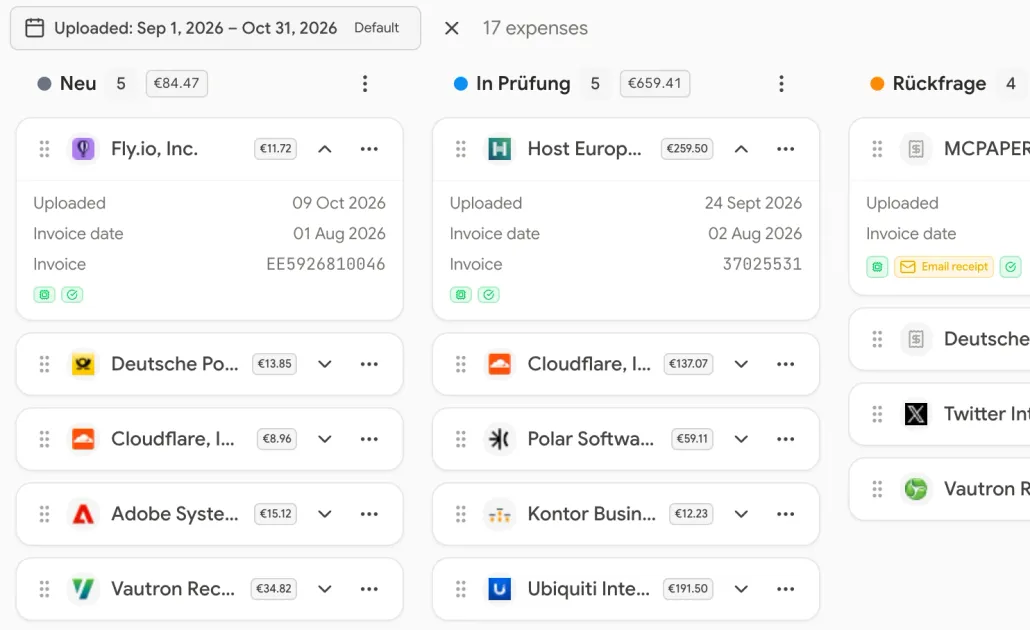
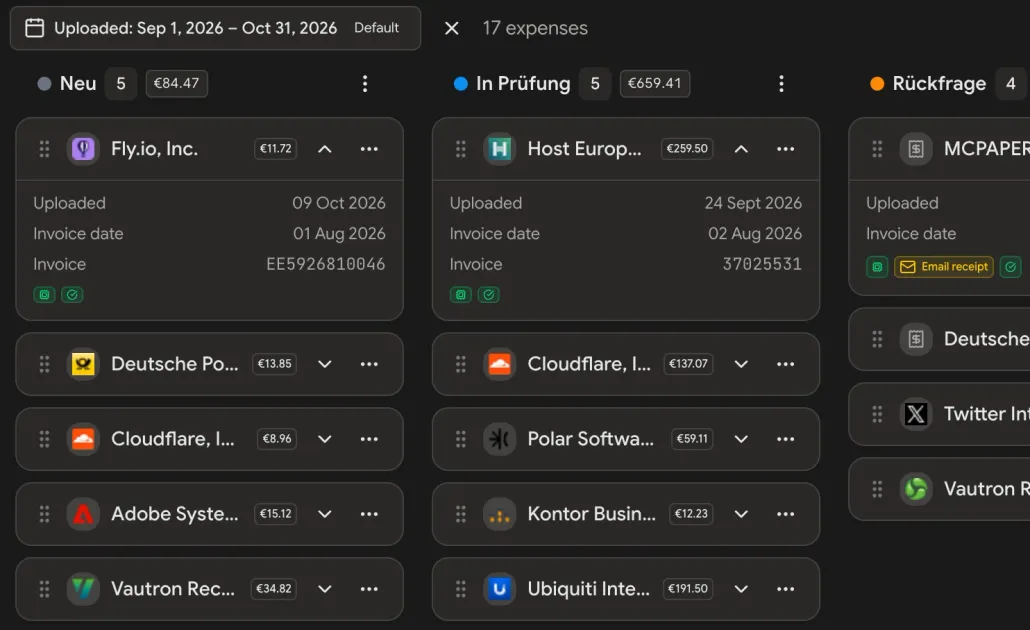
Amount, date, VAT, supplier and invoice number land in the expense, and Kosts suggests an account from SKR03, SKR04 or EÜR for you to accept. What Kosts cannot read with certainty stays empty instead of being guessed. Duplicate invoices and totals that don't add up end up on a short list.
How OCR and AI read every receipt Clean up duplicates and vendor names — try it live
As soon as several people spend money, the paperwork lands with the boss. In Kosts everyone submits their own receipts, and bigger purchases are requested first. You decide in seconds, before the purchase and after.
Team features come with the Team plan: €60 a month, billed annually, no limit on members. How your team works in Kosts
+ €1,722 across 3 open requests
Second monitor for the home office
27 inch, for photo work — the old one has a stripe.
Train ticket to Hamburg
Client meeting at Nordlicht GmbH on 3 September.
Two-day UX workshop for two
For the two new colleagues in design.
You close the month, Kosts packages it: every receipt, the report and the CSV in one file. Your tax firm gets it in the format they actually open — and anyone who would rather look for themselves gets their own read-only access.
You can always see which month has been handed over and which is still open. How the handover to your tax advisor works
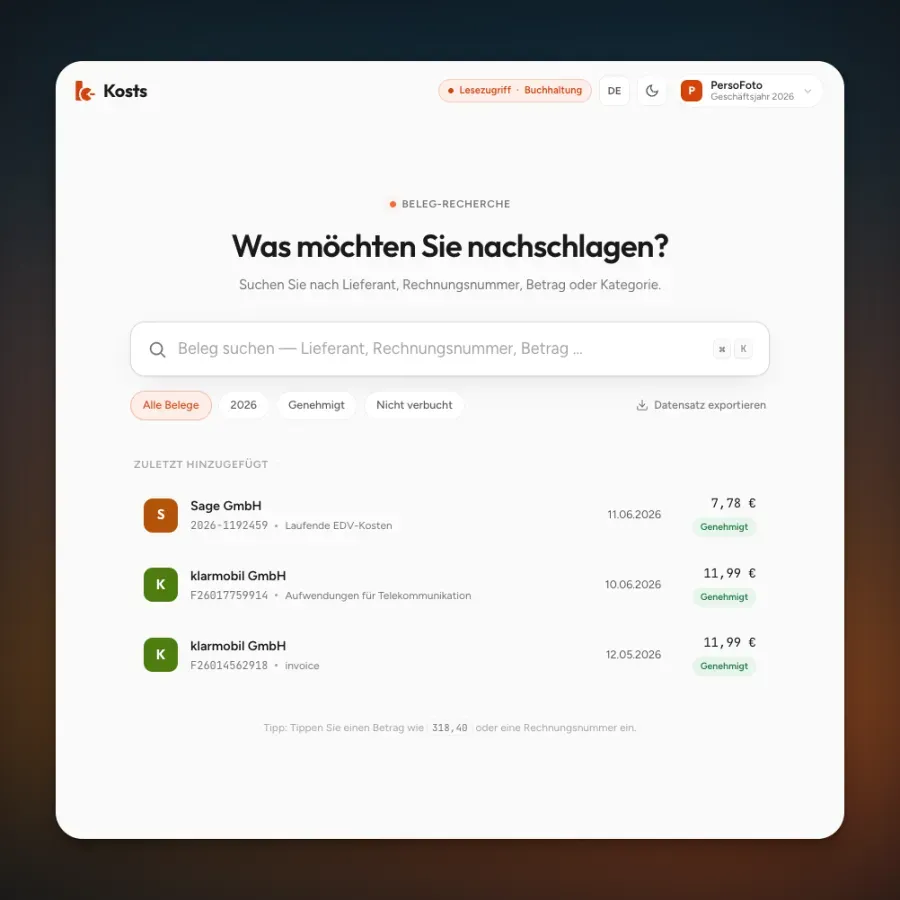
Search, filter by category, vendor or date range, and keep the view: the list shows only what you need right now — right down to the single receipt.
How to find expensesKosts is still young. You write to me directly, and I read every message.
For 17 years I ran my own company, an online shop with nine people at its peak. By day the business ran. In the evenings I built small tools that gave us time back.
One of them came out of our first tax audit in 2017. I had built the auditor his own view into our order management. My receipts, on the other hand, sat in Dropbox folders, summarized in Excel. The auditor and my tax advisor both told me to get proper accounting software, or to build something myself: something between my company and the tax firm. Three to four hours a month turned into minutes.
Kosts is that tool, built for other companies. It takes one clearly defined piece of work off your hands: collecting receipts and handing them over. Not the whole hamster wheel.
Kosts replaces neither your tax firm nor Lexware Office, sevDesk or DATEV. It makes sure complete, clean data arrives there. Your receipts are stored AES-256 encrypted in data centres in Germany.
No, deliberately. Kosts does the pre-accounting — collecting, reading and organizing receipts — and hands clean data to your tax advisor or accounting system. It is the layer in front of tools like Lexware Office, sevDesk or Papierkram, not a replacement for them.
For small businesses in Germany with more work than time: agencies, studios, service firms, trades and online sellers, typically one to around twenty people. GmbH, UG or sole trader — the tax advisor usually keeps the books, and Kosts makes sure everything reaches them complete. If you file your EÜR yourself, Kosts works just as well.
Immediately. Registration has no waitlist and no setup call. You get your private forwarding address, save it as a contact and forward the first receipt — that is the whole setup.
A field either holds a valid value or stays empty. Kosts invents nothing and uses no confidence scores you would have to second-guess afterwards. The consistency check flags unreadable dates, totals that don't add up and missing VAT — so you see exactly the few records that need a human.
Yes, in beta since August 2026: “DATEV XML” produces a document package for DATEV Unternehmen online — receipts plus booking data, which your firm imports in one step via DATEV Belegtransfer. A DATEV Buchungsstapel (EXTF CSV) is not included. The Kontierung stays with the firm: the suggested SKR account travels in the package as a note, not as a booking.
Kosts helps you keep GoBD-compliant records and produces exports prepared accordingly. There is no certification, and responsibility for compliance remains with you and your tax advisor. Your receipts are encrypted at rest with AES-256 in data centres in Germany.
A few questions about your company and you have your own email address for receipts, no setup call. After the 30 days, from €25 a month, billed annually.
