Hardware
Second monitor for the home office
27 inch, for photo work — the old one has a stripe.
€389.0011% of the remaining budget
CommentsSkip
For agencies, studios and service firms of 3 to 15 people. Your team asks before buying and submits the receipt afterwards, you or your office approve, and your tax advisor gets a closed month. Team expense management at one flat price.
No credit card. €60 a month for the whole team, billed annually.


“At PersoFoto, up to nine people were spending company money at a time. Receipts came by email, as photos, on paper and from two countries, and at month end I chased them all down. Kosts grew out of that month end.”
 Christian KettnerFounder of Kosts, owner of PersoFoto for 17 years
 Sina works on projects and buys things. Tom handles approvals in the office. And at month end, you just want to know everything is there.

A train ticket to a client meeting in Hamburg. She requests it in the employee portal with amount, vendor and date, on her laptop or her phone.

On weekdays at eight, everyone who can approve gets a short email: how much is new and how much is open. No amounts, and only when something is new.

While deciding, Tom sees how much of the budget is left. After every decision there are eight seconds to take it back.

Sina uploads the invoice in the portal or photographs the receipt. She can't change it afterwards; if Tom has a question, it sits on the receipt as a comment.

In the last ten days of the month, the morning digest also counts the receipts still missing. One click sends Jonas a receipt request, and Kosts takes care of the reminders.
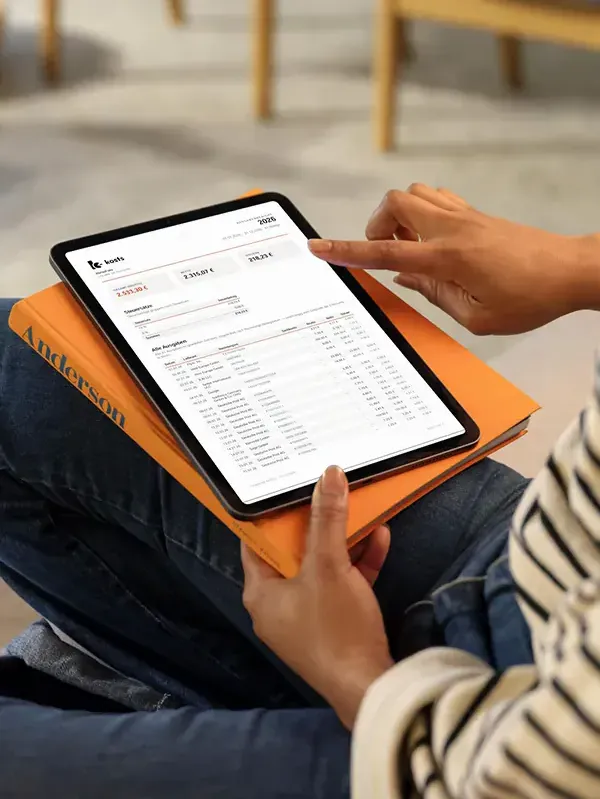
Before the VAT return is due on the 10th, you lock the month. Your tax advisor fetches the receipt bundle with their own read-only access, or gets it as an export.
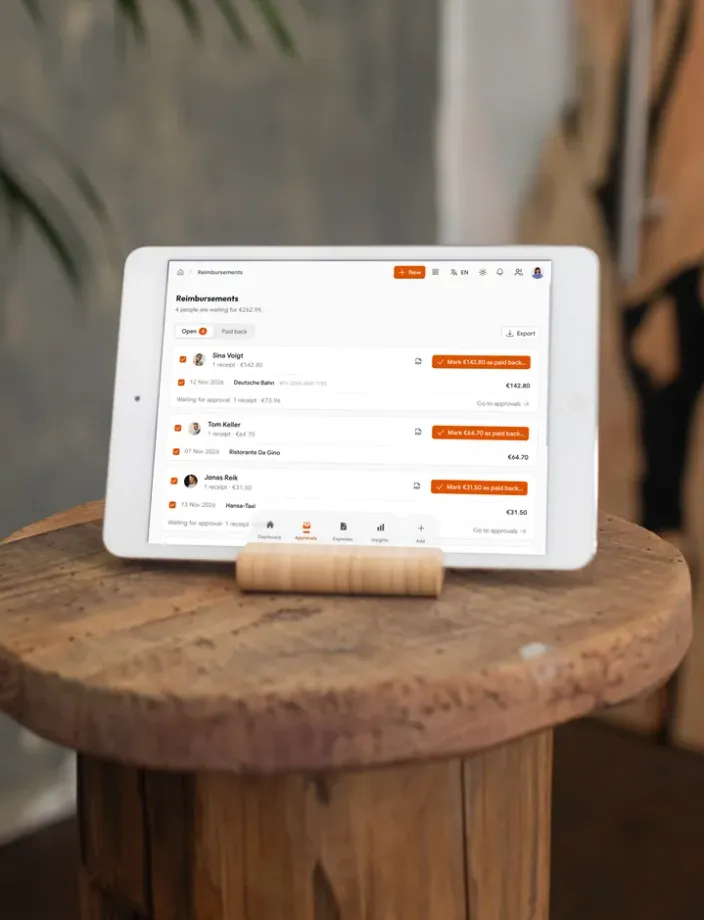
She paid for the train ticket herself. Tom sends her the amount by bank transfer and marks the expense as paid back in Kosts. Sina sees the date on her receipt.
Tom works through purchase requests as a card stack: approve, reject or ask a question, with the remaining budget in view. Receipts after the purchase he reviews in a second list.
How roles, approvals and the budget work in detail: Team & approvals.

+ €1,722 across 3 open requests
Second monitor for the home office
27 inch, for photo work — the old one has a stripe.
Train ticket to Hamburg
Client meeting at Nordlicht GmbH on 3 September.
Two-day UX workshop for two
For the two new colleagues in design.
€60 a month, billed annually, so €720 a year for the Team plan. There is no seat cap and no price per head: three people pay the same as fifteen, read-only access for your tax advisor included. You can try it free for 30 days first, without a credit card.
No. Kosts runs in the browser, on a phone just as on a laptop. Anyone who likes can pin it to their home screen, and it then opens like an app; there is no native app in the App Store. Employees are invited by email and only see their lean portal: submit a receipt, request a purchase, see their own submissions.
You close the month in Kosts. That locks it and creates a receipt bundle, which you pass on as PDF, CSV, Excel, a ZIP with every receipt, or as DATEV XML (beta) for DATEV Unternehmen online; there is no DATEV Buchungsstapel. On the Team plan your tax firm can also get its own read-only access and fetch the bundle itself. It can't change anything.
It stays. Kosts keeps receipts, data, monthly bundles and the change log for at least ten years, also after a subscription or trial ends. The workspace stays readable and exportable; only adding new expenses stops. If you delete the workspace yourself, the data is really gone, and the duty to keep records stays with you.
Sign-up is immediate, and your workspace's forwarding address works from the first minute. During setup you pick your tax firm's chart of accounts (SKR03, SKR04 or EÜR), then you invite your team by email. If you like, Christian Kettner, the founder, sets up the workspace with you on a short call.
Yes, Kosts replaces none of them. It is the layer before: it collects receipts, reads them and checks them, so complete data reaches your tax firm or your accounting software. The bookkeeping still happens there.
No. Kosts is not a payments product and has no bank connection. Anything someone paid out of pocket is badged for reimbursement and listed on its own, so you can see who you still owe. The transfer goes through your bank as before.
Rather talk first?Christian Kettner built Kosts for his own team and answers every enquiry himself. Fifteen minutes is enough to see whether it fits your agency.
The receipt's journey
Who it's for